

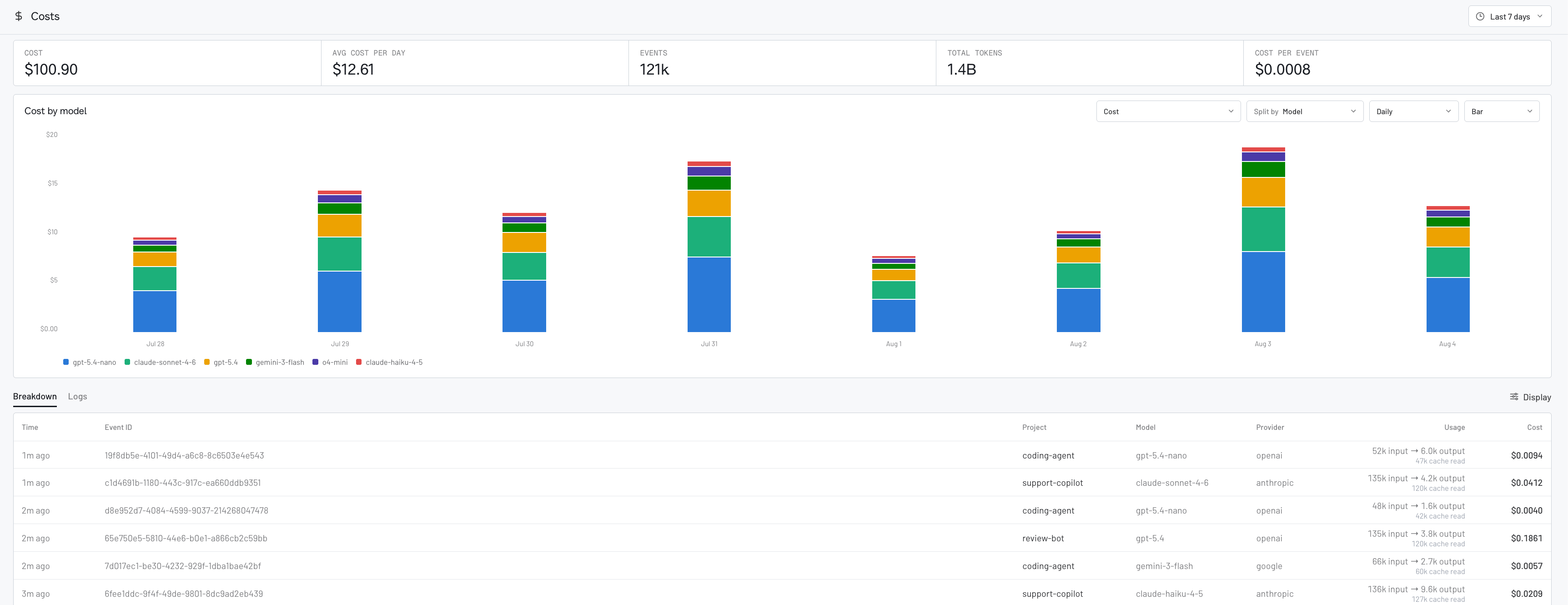
How cost tracking works
Raindrop calculates cost from the model usage captured by your integration using a versioned catalog of public model rates. It accounts for uncached input, cache reads, cache writes, output, reasoning, and tiered rates. If a provider or gateway reports a total cost, Raindrop uses it.Using cost tracking
Automatic integrations: upgrade and deploy
If you use one of these integrations, upgrade it to the minimum version and deploy. You do not need to change your instrumentation, add model prices, or calculate costs yourself.
For Python, your existing setup must have tracing enabled and already capture
your LLM calls. New model calls will appear on Costs after deployment;
historical calls are not backfilled.
Direct TypeScript SDK or HTTP
If you use the baseraindrop-ai TypeScript SDK or send events with raw HTTP,
include the model’s raw usage counts. Raindrop handles the pricing.
- Set it up yourself
- Use a coding agent
TypeScript SDK
Upgrade the baseraindrop-ai TypeScript SDK to 0.3.1
or later:model and the provider’s raw usage counts to your existing finish()
call:usage object also works with trackAi(). When the provider
returns them, also pass cacheReadTokens, cacheWriteTokens,
reasoningTokens, and providerReportedCost. Pass the raw values exactly as
reported; do not subtract cached or reasoning tokens yourself.Raw HTTP
Keep your existingPOST /v1/events/track call. After each model call, send
one linked model span to POST https://api.raindrop.ai/v1/traces using the
same event_id:ai.model.usage with these attributes:Use standard OTLP trace and span IDs and nanosecond timestamps. Await the
request so short-lived workers do not exit before it is sent. Use the same
X-Raindrop-Project-Id header as your event request when sending to a
specific project.Add gen_ai.usage.cache_read_input_tokens,
gen_ai.usage.cache_write_input_tokens, gen_ai.usage.reasoning_tokens, or
gen_ai.usage.provider_reported_cost when your provider returns them. Do not
estimate missing values.Deploy, send a new model call, and confirm it appears on Costs. Existing
historical calls are not backfilled.Ask for a breakdown
You can also ask the Triage Agent or your coding assistant through Raindrop MCP for spend totals, cost by model or provider, and trends over time.Related
- Dashboards to chart spend by model, tool, or user alongside your other metrics
- Triage Agent to ask for spend in chat
- MCP overview to query costs from your coding agent
- Integrations overview for per-framework setup